


Anima Color - Paint by Number
4.63.56K Reviews
App Specs
- Version
- 1.9.7
- Updated On
- License
- Free
- Downloads
- 1,000,000+
- Developer
- Candy Mobile
- Categories
- Board
- Platform
- Android, iOS
Screenshots
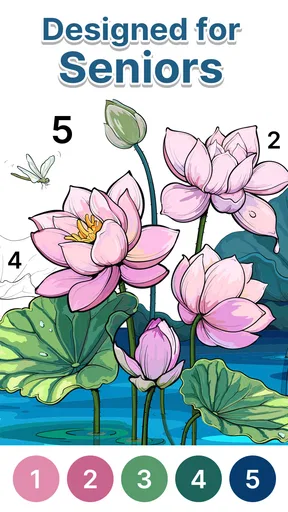
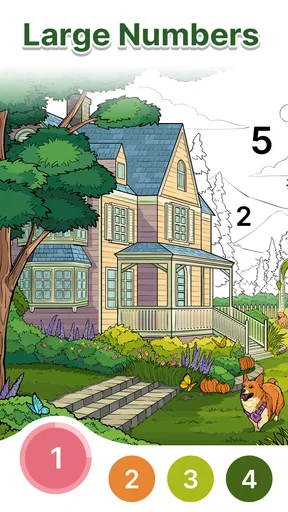
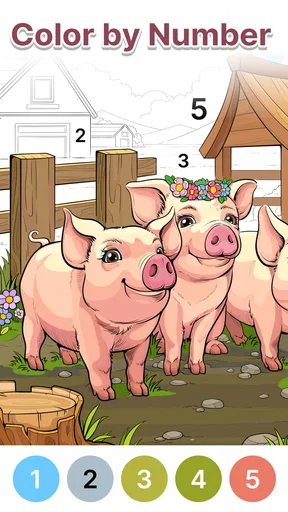
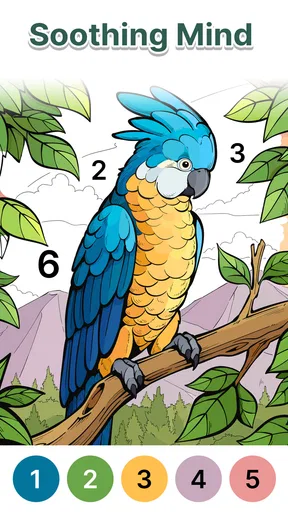
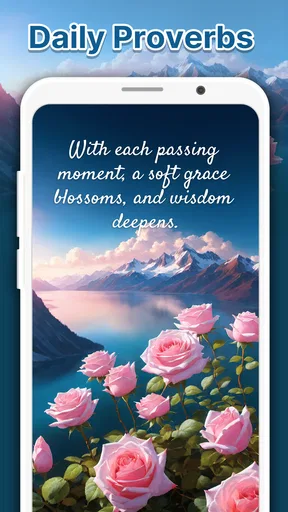
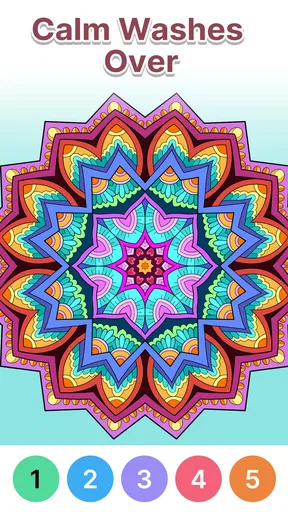
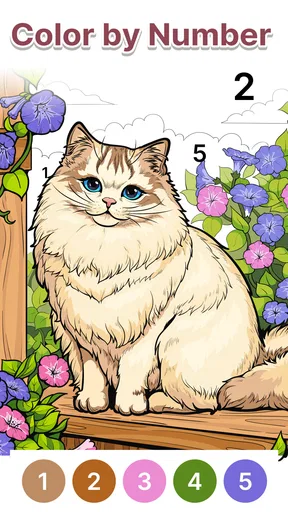
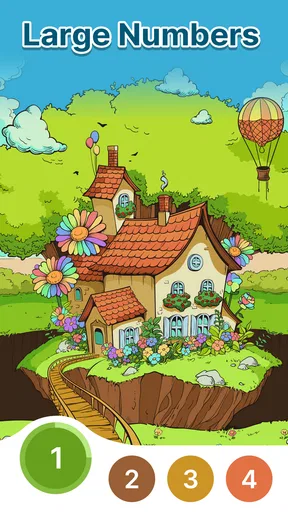
 Analysis by AppCompare
When I want a small creative break without setting up pencils, paints, or a blank page, a paint-by-number game is an easy place to start. Anima Color - Paint by Number is built around that simple appeal: choose an illustration, follow its numbered areas, and watch the picture gradually take shape. I find that guided approach relaxing, though it suits a different mood from freehand drawing. You’re making choices about when and where to color, rather than inventing the image yourself.
Why the pace feels approachable
The basic loop is easy to understand: select a picture, pick a color, then tap the matching sections. That removes the usual first hurdle of deciding what to draw, and it makes the game approachable even if you don’t think of yourself as artistic. I can settle into a picture quickly, which is useful when I only have a short pause and don’t want to spend it learning complicated controls.
That simplicity also sets expectations for speed. An individual coloring session can feel brisk because each action is a tap, but finishing a detailed image is naturally a more gradual task. I wouldn’t treat it like a race or expect every picture to be completed in one sitting. If I’m interrupted, I prefer to choose a small section and leave the rest for later rather than turn a relaxing activity into a deadline.
How it fits into an ordinary day
A realistic use for me is opening the game during a quiet lunch break, coloring for a few minutes, then putting my phone away when the break ends. It gives my hands and attention something gentle to do without requiring a long stretch of concentration. At home, I’d be more likely to choose a picture and continue at my own pace, especially when I want a low-pressure alternative to scrolling through social feeds.
The numbered format is also helpful when I want a creative activity but don’t want to plan a palette or correct mistakes. It narrows the task to finding the appropriate areas, so I can focus on the gradual change in the image. That trade-off is important: people who enjoy choosing every hue and making their own marks may find this more like a guided puzzle than a drawing tool.
What to consider before settling in
For comfortable play, I’d use it when I can look closely at the screen and tap deliberately. Small sections in a detailed picture can make the activity feel slower, particularly if I’m trying to color while distracted. A practical approach is to pause between colors, check which number is active, and work through one area at a time instead of rapidly tapping across the image. That keeps the experience calmer and helps avoid the sense that I’m simply rushing through a checklist.
As with any mobile game, the experience can depend on the phone and the situation. I wouldn’t assume that a device with limited free space or an older operating system will feel the same as a newer phone; the game requires Android 6.0 or later. For a smoother session, I’d close other demanding apps if my phone is already struggling and avoid starting a detailed image when the battery is nearly empty. Those are general mobile-use habits, not a promise that every device will behave identically.
Worth Reading Before You Choose

EA SPORTS FC Mobile 26 Is a Bigger Football Game, but It Takes Time

Flipboard Shows What News Apps Must Do Beyond the Feed

Switching to Android Auto Means Rethinking Your Driving Routine

Google Calendar Makes a Crowded Week Easier to Manage

Ludo King Makes the Most of the Minutes Between Plans

Baby Panda World Brings Quick Play to Modern Phones, but Its Game Library Feels Busy
Getting Started with Anima Color
Okay, first things first. Downloading Anima Color is a breeze. It’s available for both Android and iOS, so no worries there. Once you’ve got it installed, you’re greeted with a vibrant interface that immediately invites you to dive into the world of colors. The app offers a wide variety of designs, ranging from intricate mandalas to adorable animals. Whether you’re a seasoned artist or a complete newbie, there’s something here for everyone.
Features That Shine
One of the standout features is the sheer variety of categories. You can choose from landscapes, fantasy, food, and more. The app updates regularly, so there’s always something fresh and exciting to color. And trust me, the satisfaction of watching a black-and-white outline come to life with just a few taps is pure magic.
The interface is incredibly user-friendly. You simply select a picture, and the app breaks it down into numbered sections. Each number corresponds to a specific color. Tap the color, then tap the section, and voila! You’ve added a splash of color to your masterpiece. It's almost therapeutic, like meditation without the need for silence.
Why It’s Worth Your Time
Now, let’s talk about why I’m hooked. For starters, Anima Color is perfect for unwinding. Whether you’re on a lunch break or just chilling at home, it’s a great way to take a breather and feel productive at the same time. Plus, it’s a fantastic way to flex your creative muscles without the pressure of starting from scratch.
Another thing I love is the social aspect. You can share your completed artworks directly from the app to your social media, showing off your creations to friends and family. Who knew you could be the next Picasso with just a few taps?
Room for Improvement
Now, no app is perfect, and Anima Color is no exception. While it offers a free version, there are some features locked behind a paywall. Admittedly, the ads can be a tad intrusive at times, but they’re not a deal-breaker. It’s a small price to pay for the free content they offer.
I also think it would be cool if the app allowed for a bit more customization. Maybe choosing your own colors or adding filters to your finished pieces. But hey, maybe that’s something for a future update!
Choosing it over other casual games
Among board-style games, this one is a quieter option: it asks for attention to a picture rather than competition, quick decisions, or a long run of turns. Compared with a physical coloring book, it is easier to pick up for a brief interval and doesn’t call for art supplies, but the screen-based tapping is less tactile. Compared with a freehand drawing app, it offers more structure and fewer creative decisions. I’d choose it when I want calm repetition; I’d choose a sketching app when the point is to make an image of my own.
Small habits that make coloring easier
I get more out of a session when I treat each selected color as a mini-task: find its remaining spaces, finish a manageable group, then move on. That gives the activity a natural stopping point and makes a complicated illustration less daunting. If I’m interrupted, I can return with a simple plan—continue with the color already in mind, or start by scanning the picture for the next obvious group—rather than tapping randomly and losing track of what I was doing.
It also helps to choose a picture to match my attention, not just its subject. When I’m tired or distracted, a design with fewer tiny spaces is a better fit than an intricate one. When I have a longer, quieter stretch, I’m more willing to work through detail. This is a useful trade-off for anyone deciding whether the game is a good fit: the same numbered system can feel soothing or fiddly depending on the image and the moment.
Who will enjoy it, and who may not
I’d recommend it to someone who likes coloring books, wants a gentle phone activity, or feels more comfortable following a visual guide than starting from a blank canvas. It can also suit people who want a low-stakes way to spend a few spare minutes without needing to compete or keep up with a group. The Everyone age rating makes it broadly approachable, though younger players may still need help with small screen details depending on their device and eyesight.
I’d skip it if I wanted a deep strategy game, a demanding challenge, or full control over the look of every finished image. It is also not my first choice when I need a completely uninterrupted activity: ads can break the flow, as the original experience notes, and a detailed picture may take more patience than a quick break allows. Since the game is free, trying it is easy, but I’d go in expecting a casual coloring routine rather than a full-featured art studio.
What its popularity and version tell me
Candy Mobile makes this board game, which is free to play and rated for Everyone. It has a 4.6 average from around 14,000 ratings, with more than 3,000 written reviews and over one million installs. Those figures suggest that the straightforward format has found an audience, but they don’t tell me whether every player will like its pace or how it will run on a particular phone. The current version is 1.9.7, and I’d check that my device meets the Android 6.0 minimum before installing on Android.
Reliability and what to expect from a session
I judge a coloring game less by peak speed than by whether its simple actions stay comfortable over a session. The tap-to-fill loop is uncomplicated, so it does not ask me to learn a complicated control scheme before I can begin. Still, perceived smoothness can vary with device age, available resources, and what else is running. If an image feels less responsive than usual, I’d first close background apps, reopen the game, and try a less detailed picture before assuming the coloring format itself is the problem.
For recovery after an interruption, I’d keep expectations practical. A phone call, a low battery, or switching to another app can end a short session, so I wouldn’t begin a highly detailed picture when I only have a moment. The most useful routine is to make progress in small stretches and check that the game is still in the state I expect when I return. That advice is especially relevant for anyone using it as a break-time activity rather than sitting down for a longer coloring session.
Its place in Candy Mobile’s catalog
The game’s large audience and strong average rating are encouraging, but they aren’t a substitute for deciding whether paint-by-number suits you. It is a board-category game from Candy Mobile, released on November 28, 2023, and the coloring format is the main reason I’d pick it over a typical match or puzzle game: the pace is self-directed, and the goal is visual completion rather than a score or opponent. If I want a more tactile experience, a paper book is still better; if I want free composition, a drawing app is the clearer choice.
For someone who wants a straightforward, guided coloring game, the combination of free access and a familiar tap-based routine makes it an easy option to try. I’d be mindful of the ad interruptions and of how much fine detail I feel like handling on a small screen. My practical advice is to start with an image that looks manageable, use it for a short break, and see whether the repetitive coloring feels restful to you rather than tedious.
Final Thoughts
All in all, Anima Color - Paint by Number is a delightful little app that brings a splash of color to your daily routine. It’s fun, easy to use, and provides just the right amount of challenge to keep you engaged. Whether you’re looking to kill some time or find a new hobby, this app is definitely worth checking out.
So, why not give it a whirl? Download it today and let your inner artist shine through. You might just find yourself addicted to the world of paint by numbers, and I promise, it’s a colorful journey you won’t regret taking.
Pros
- Wide variety of artwork to choose from.
- User-friendly interface for easy navigation.
- Regular updates with new content.
- Offline mode available for uninterrupted play.
- Vibrant colors enhance the painting experience.
Cons
- Limited free content without subscription.
- Ads can be intrusive during gameplay.
- Some users report occasional app crashes.
- Requires large storage for additional packs.
- No option for custom color palettes.
FAQs for Anima Color - Paint by Number
What is Anima Color - Paint by Number?
Anima Color - Paint by Number is a relaxing coloring app for both Android and iOS devices. It allows users to unwind by filling in intricate designs with colors. The app offers a variety of themed artworks, ensuring there's something for everyone, from beginners to experienced colorists.
Are there any subscription fees or in-app purchases?
Anima Color - Paint by Number is free to download, but it includes in-app purchases. Users can buy additional color palettes, exclusive artwork, or a premium subscription that removes ads and unlocks all content. Prices may vary based on location and platform.
Is an internet connection required to use Anima Color?
While Anima Color - Paint by Number can be used offline for coloring previously downloaded artworks, an internet connection is necessary for accessing new designs and updates. Regular connectivity ensures users have the latest content and features available.
How user-friendly is the app for beginners?
Anima Color is designed with user-friendliness in mind, making it suitable for beginners. The intuitive interface guides users through selecting colors and filling in designs. It also provides hints and tools that help users easily complete their artwork without frustration.
What devices are compatible with Anima Color?
Anima Color - Paint by Number is available for both Android and iOS devices. It supports most smartphones and tablets running recent versions of their respective operating systems. Users should ensure their device meets minimum requirements for optimal performance.


